¿Listo para implementarlo en tu Odoo?
Agenda una demo o habla con un consultor y resuelve tus dudas antes de comprar. Instalación, configuración y soporte incluidos.

VIKI - Virtual Intelligent Knowledge Interface — Odoo 20
3D virtual assistant with multi-provider AI, Three.js avatar, guided navigation and natural language document creation
Description
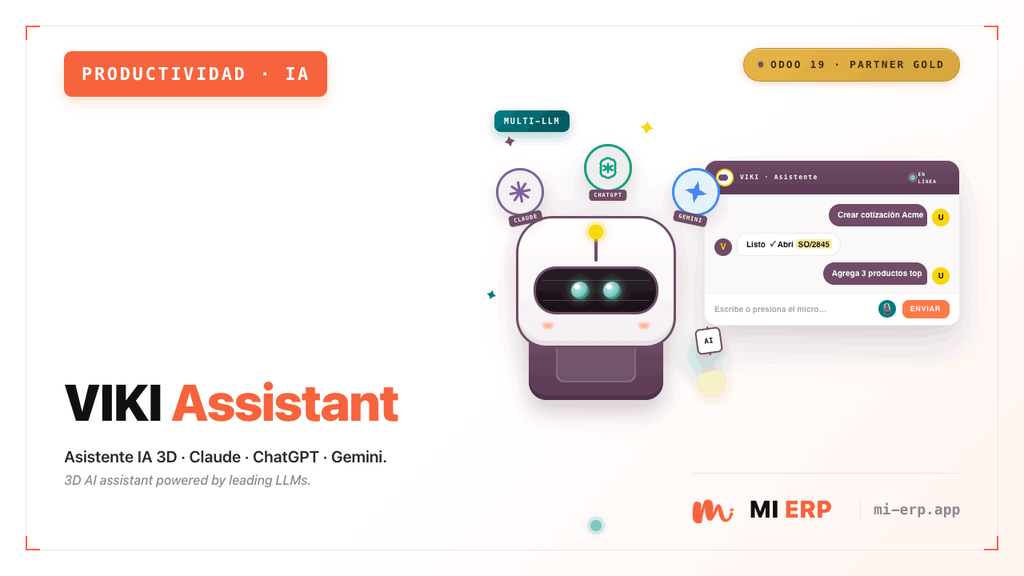
VIKI (Virtual Intelligent Knowledge Interface) is a 3D AI-powered virtual assistant for Odoo 20. It features an interactive avatar built with Three.js that floats on the interface, allowing users to interact through natural language to navigate menus, create documents, add product lines and answer ERP questions.
Supports multiple AI providers (Anthropic Claude, OpenAI ChatGPT and Google Gemini), three avatar modes (procedural robot, realistic and custom), configurable quick-action chips and field guides with visual highlighting on forms.
Screenshots


Features
Interactive 3D Avatar
- Procedural robot with MI ERP brand colors (Three.js)
- Photorealistic model (LeePerrySmith.glb)
- Custom avatar by uploading a .glb file
- Animations: idle, talking, waving, pointing
- Eye blinking, ear wiggle, floating motion
Multi-Provider AI Chat
- Anthropic: Claude Haiku 4.5, Sonnet 4.6, Opus 4.6
- OpenAI: GPT-4.1 Mini, GPT-4.1, GPT-4o, GPT-4o Mini
- Google: Gemini 2.5 Flash, Gemini 2.5 Pro
- Contextual responses about Odoo/ERP
- Per-provider API key configuration
Guided Navigation
- Smart menu search by name
- Automatic view and action opening
- Animated cursor pointing to elements
- Menu item highlighting
- Natural language commands
Document Creation
- Customer and vendor invoices
- Sale and purchase orders
- Contacts and products
- Form opening with predefined context
- Product line addition on open forms
Quick Action Chips
- Backend-configurable chips
- One-click predefined actions
- Customizable icons and labels
- Sequence-based ordering
- Individual enable/disable toggle
Form Field Guides
- Visual field highlighting with tooltip
- Configurable guides per model
- Ordered steps with description
- Guide button in the form status bar
- Step-by-step popup card
Additional Features
- MI ERP Robot Mode: Procedural avatar with brand colors (orange/charcoal) and "Mi" logo on the chest.
- Realistic Mode: Photorealistic 3D model with subsurface scattering lighting.
- Custom Mode: Upload your own .glb avatar from the settings.
- Chat Bubble: Floating interface with light theme, styled messages and input area.
- Status Indicator: Green dot for active connection above the avatar.
- Hide/Show Avatar: Compact badge to minimize the assistant.
- Glow Effect: Animated glow beneath the avatar with brand colors.
- Centralized Settings: All configuration from Settings > VIKI Assistant.
Supported Commands
Command Types
| Type | Description | Example |
|---|---|---|
navigate |
Searches for a menu and opens it automatically | "Go to invoicing" / "View inventory" |
create |
Opens a creation form with context | "Create an invoice" / "New contact" |
add_product_line |
Adds a product line to the active form | "Add a product" / "Add line" |
chat |
Informational response about Odoo/ERP | "What is a credit note?" |
help |
Greeting or general assistance | "Hello" / "Help me" |
AI Providers
| Provider | Available Models | API Key Parameter |
|---|---|---|
| Anthropic (Claude) | Haiku 4.5, Sonnet 4.6, Opus 4.6 | viki_assistant.anthropic_token |
| OpenAI (ChatGPT) | GPT-4.1 Mini, GPT-4.1, GPT-4o, GPT-4o Mini | viki_assistant.openai_token |
| Google (Gemini) | Gemini 2.5 Flash, Gemini 2.5 Pro | viki_assistant.google_token |
viki_assistant.llm_model. The settings view dynamically shows only the API key field for the active provider.
Technical Details
- Models: viki.chip (quick actions), viki.field.guide (field guides).
- Controllers: /viki_assistant/config (JSON-RPC), /viki_assistant/chat (JSON-RPC), /viki_assistant/custom_avatar.glb (HTTP).
- Frontend: OWL component with Three.js v0.182.0 (bundled locally).
- LLM Service: utils/llm_service.py with PROVIDERS registry and VikiLLMService class.
- Extends: res.config.settings for centralized configuration.
- Compatible with Odoo Enterprise and Community.
LeePerrySmith.glb model from the Three.js repository and place it in static/src/models/.
Requirements
Odoo Modules
- Web (web)
- Discuss (mail)
Initial Setup
- API key for the selected AI provider
- LLM model selection in Settings > VIKI
- Avatar type (robot, realistic or custom)
- (Optional) Custom greeting message
- (Optional) .glb file for custom avatar
requests package (included in Odoo by default).


Contact Us
You will get free assistance for 60 days for any bug or issue.
For inquiries or support: [email protected]