¿Listo para implementarlo en tu Odoo?
Agenda una demo o habla con un consultor y resuelve tus dudas antes de comprar. Instalación, configuración y soporte incluidos.

VIKI - Virtual Intelligent Knowledge Interface — Odoo 20
3D virtual assistant with multi-provider AI, Three.js avatar, guided navigation and natural language document creation
Description
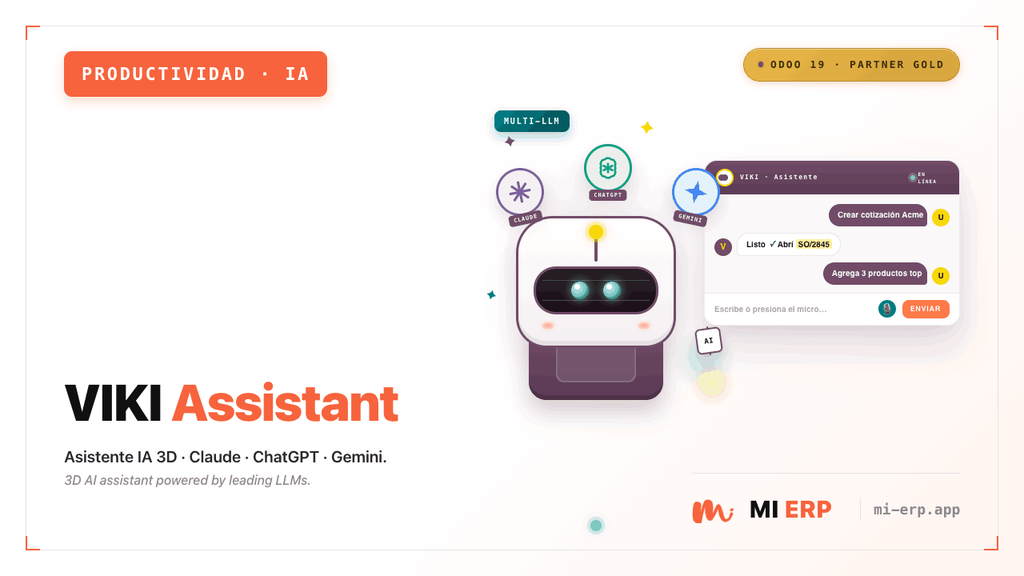
VIKI (Virtual Intelligent Knowledge Interface) is a 3D AI-powered virtual assistant for Odoo 20. It features an interactive avatar built with Three.js that floats on the interface, allowing users to interact through natural language to navigate menus, create documents, add product lines and answer ERP questions.
Supports multiple AI providers (Anthropic Claude, OpenAI ChatGPT and Google Gemini), three avatar modes (procedural robot, realistic and custom), configurable quick-action chips and field guides with visual highlighting on forms.
Screenshots


Features
Interactive 3D Avatar
- एमआई ईआरपी ब्रांड रंगों के साथ प्रक्रियात्मक रोबोट (तीन.जेएस)
- फ़ोटोरियलिस्टिक मॉडल (LeePerrySmith.glb)
- .glb फ़ाइल अपलोड करके कस्टम अवतार
- एनिमेशन: निष्क्रिय, बात करना, लहराना, इशारा करना
- आँख झपकाना, कान हिलना, तैरती हुई गति
Multi-Provider AI Chat
- एंथ्रोपिक: क्लाउड हाइकु 4.5, सॉनेट 4.6, ओपस 4.6
- ओपनएआई: जीपीटी-4.1 मिनी, जीपीटी-4.1, जीपीटी-4ओ, जीपीटी-4ओ मिनी
- गूगल: जेमिनी 2.5 फ्लैश, जेमिनी 2.5 प्रो
- ओडू/ईआरपी के बारे में प्रासंगिक प्रतिक्रियाएँ
- प्रति-प्रदाता एपीआई कुंजी कॉन्फ़िगरेशन
Guided Navigation
- नाम से स्मार्ट मेनू खोजें
- स्वचालित दृश्य और क्रिया उद्घाटन
- तत्वों की ओर इशारा करने वाला एनिमेटेड कर्सर
- मेनू आइटम हाइलाइटिंग
- प्राकृतिक भाषा आदेश
Document Creation
- ग्राहक और विक्रेता चालान
- बिक्री और खरीद आदेश
- संपर्क और उत्पाद
- पूर्वनिर्धारित संदर्भ के साथ फॉर्म खोलना
- खुले प्रपत्रों पर उत्पाद शृंखला का जोड़
Quick Action Chips
- बैकएंड-कॉन्फ़िगर करने योग्य चिप्स
- एक-क्लिक पूर्वनिर्धारित क्रियाएँ
- अनुकूलन योग्य चिह्न और लेबल
- अनुक्रम-आधारित क्रम
- व्यक्तिगत सक्षम/अक्षम टॉगल
Form Field Guides
- टूलटिप के साथ दृश्य क्षेत्र को हाइलाइट करना
- प्रति मॉडल विन्यास योग्य मार्गदर्शिकाएँ
- विवरण के साथ क्रमबद्ध चरण
- फॉर्म स्टेटस बार में गाइड बटन
- चरण-दर-चरण पॉपअप कार्ड
Additional Features
- एमआई ईआरपी रोबोट मोड: ब्रांड रंग (नारंगी/चारकोल) और छाती पर "एमआई" लोगो के साथ प्रक्रियात्मक अवतार।
- यथार्थवादी मोड: उपसतह प्रकीर्णन प्रकाश के साथ फोटोरिअलिस्टिक 3डी मॉडल।
- कस्टम मोड: सेटिंग्स से अपना स्वयं का .glb अवतार अपलोड करें।
- चैट बबल: लाइट थीम, स्टाइल वाले संदेश और इनपुट क्षेत्र के साथ फ्लोटिंग इंटरफ़ेस।
- स्थिति संकेतक: अवतार के ऊपर सक्रिय कनेक्शन के लिए हरा बिंदु।
- अवतार छिपाएँ/दिखाएँ: सहायक को छोटा करने के लिए कॉम्पैक्ट बैज।
- चमक प्रभाव: ब्रांड रंगों के साथ अवतार के नीचे एनिमेटेड चमक।
- केंद्रीकृत सेटिंग्स: सेटिंग्स से सभी कॉन्फ़िगरेशन > विकी सहायक.
Supported Commands
Command Types
| Type | Description | Example |
|---|---|---|
navigate |
Searches for a menu and opens it automatically | "Go to invoicing" / "View inventory" |
create |
Opens a creation form with context | "Create an invoice" / "New contact" |
add_product_line |
Adds a product line to the active form | "Add a product" / "Add line" |
chat |
Informational response about Odoo/ERP | "What is a credit note?" |
help |
Greeting or general assistance | "Hello" / "Help me" |
AI Providers
| Provider | Available Models | API Key Parameter |
|---|---|---|
| Anthropic (Claude) | Haiku 4.5, Sonnet 4.6, Opus 4.6 | viki_assistant.anthropic_token |
| OpenAI (ChatGPT) | GPT-4.1 Mini, GPT-4.1, GPT-4o, GPT-4o Mini | viki_assistant.openai_token |
| Google (Gemini) | Gemini 2.5 Flash, Gemini 2.5 Pro | viki_assistant.google_token |
viki_assistant.llm_model. The settings view dynamically shows only the API key field for the active provider.
Technical Details
- मॉडल: viki.chip (त्वरित कार्रवाई), viki.field.guide (फ़ील्ड गाइड)।
- नियंत्रक: /viki_assistant/config (JSON-RPC), /viki_assistant/chat (JSON-RPC), /viki_assistant/custom_avatar.glb (HTTP)।
- फ्रंटएंड: थ्री.जेएस v0.182.0 के साथ OWL घटक (स्थानीय रूप से बंडल)।
- एलएलएम सेवा: PROVIDERS रजिस्ट्री और VikiLLMService वर्ग के साथ utils/llm_service.py।
- विस्तार: केंद्रीकृत कॉन्फ़िगरेशन के लिए res.config.settings।
- ओडू एंटरप्राइज और समुदाय के साथ संगत।
LeePerrySmith.glb model from the Three.js repository and place it in static/src/models/.
Requirements
Odoo Modules
- वेब (वेब)
- चर्चा करें (मेल)
Initial Setup
- चयनित एआई प्रदाता के लिए एपीआई कुंजी
- सेटिंग्स में एलएलएम मॉडल चयन > Viki
- अवतार प्रकार (रोबोट, यथार्थवादी या कस्टम)
- (वैकल्पिक) कस्टम शुभकामना संदेश
- (वैकल्पिक) कस्टम अवतार के लिए .glb फ़ाइल
requests package (included in Odoo by default).


Contact Us
You will get free assistance for 60 days for any bug or issue.
For inquiries or support: [email protected]