¿Listo para implementarlo en tu Odoo?
Agenda una demo o habla con un consultor y resuelve tus dudas antes de comprar. Instalación, configuración y soporte incluidos.

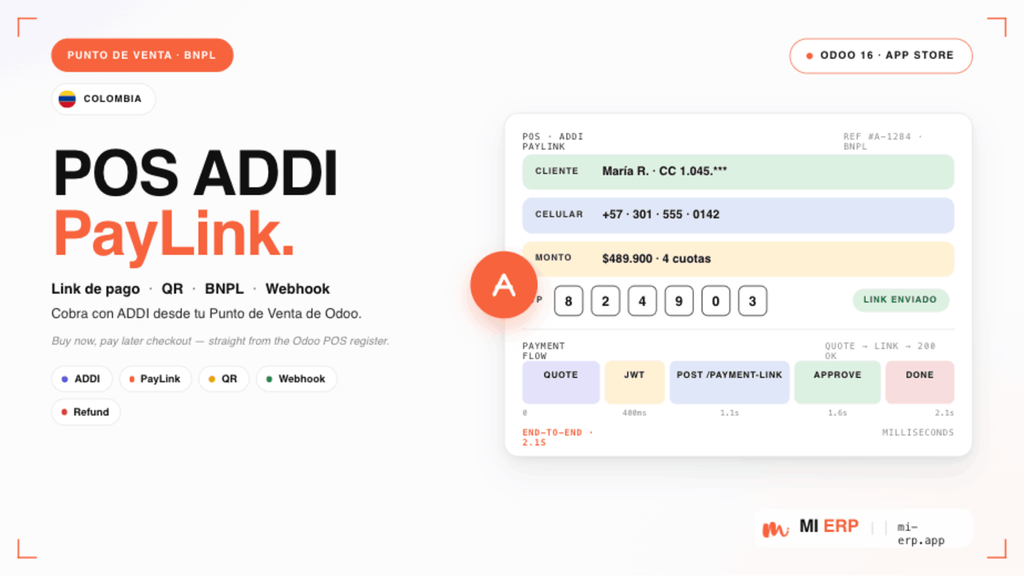
POS ADDI PayLink — Odoo 20
Cobra con ADDI desde tu Punto de Venta — link de pago instantáneo
Descripción
El módulo POS ADDI PayLink para Odoo 20 integra ADDI como método de pago directamente en el Punto de Venta. El cajero genera un enlace de pago, el cliente lo recibe en su celular y la venta se cierra automáticamente cuando ADDI aprueba el crédito.
Soporta polling en tiempo real, notificaciones por bus, asociación manual de pagos a ventas, idempotencia, y permite minimizar el flujo para seguir vendiendo mientras se espera la aprobación.
Funcionalidades principales
- Link de pago ADDI desde POS: el cajero genera el link en segundos y el cliente lo recibe en su celular.
- Validación automática: cuando ADDI aprueba, la venta se cobra y cierra sin intervención manual.
- Bus en tiempo real: notificación push al POS cuando ADDI confirma o rechaza el pago.
- Minimizar y seguir vendiendo: el link queda activo en background; el cajero atiende a otros clientes mientras espera la aprobación.
- Bandeja de Paylinks: vista dedicada para administrar todos los paylinks generados, con filtros y agrupamientos.
- Asociación manual: wizard para vincular un paylink aprobado a una venta existente, con detección de duplicados.
- Idempotencia: detecta y previene pagos duplicados por order_id / application_id.
- Reanudación tras refresh: sobrevive recargas de pantalla — los paylinks pendientes se reasocian a la orden POS.
- Registro manual de respaldo: permite aplicar el pago si el cliente lo aprobó por otro canal o cuando no hay conexión.
- Auditoría completa: guarda request, response y callback en bruto de cada interacción con ADDI.
Interfaz y experiencia de usuario
Una mirada al módulo en funcionamiento, paso a paso — desde la configuración del método de pago hasta el popup ADDI dentro del Punto de Venta.


Proceso completo de cobro con ADDI
- Configura el método de pago ADDI con Client ID, Client Secret, Ally Slug y Store Slug, eligiendo ambiente Staging o Producción.
- En el POS, el cajero arma la venta y selecciona ADDI PayLink en la pantalla de pago.
- Captura los datos del cliente (documento, nombre, contacto, dirección) y envía el link.
- El cliente recibe el link en su celular y completa la solicitud con ADDI.
- El POS hace polling y escucha el bus para detectar el resultado en tiempo real.
- Cuando ADDI aprueba, el pago se aplica automáticamente y la venta se cierra.
- Toda la operación queda registrada en la bandeja de paylinks con estado, montos, request, response y callback.
Detalles técnicos
- Modelos:
addi.paylink,addi.paylink.associate.wizard; extiendepos.payment.method,pos.paymentypos.order. - Frontend con OWL 2 y
patch()sobre el framework POS de Odoo 20; popup conDialogde@web/core/dialog/dialog. - Bus en tiempo real vía
pos.config._notify("ADDI_NOTIFICATION", ...)+data.connectWebSocket(). - Carga de datos POS con
_load_pos_data_fields(patrón nativo de Odoo 20). - Vistas en sintaxis Odoo 20:
<list>,invisible="..."directo,models.Constraint. - Endpoints HTTP
type='jsonrpc'; controlador público para callback de ADDI. - Bundle de assets:
point_of_sale._assets_pos. - Compatible con la API ADDI PayLink Custom (staging y producción).


Contáctanos
Obtendrás asistencia gratuita durante 60 días por cualquier error o problema.
Para consultas o soporte: [email protected]